
目次
デジタルアダプションプラットフォーム(DAP)とは?
DAP stands for digital adoption platform—software layered on top of another software product, app, agent, or website to help users achieve proficiency by guiding them through key tasks and providing contextual information as they navigate. You may also hear DAPs referred to as digital adoption solutions or digital adoption tools, though these terms are often used interchangeably in the market. A true digital adoption platform combines in-app guidance, analytics, and feedback capabilities in a single solution, serving both customer-facing product teams and internal IT, Revenue, or HR teams driving employee software adoption.
How do digital adoption platforms work?
A digital adoption platform works by installing a lightweight code snippet or browser extension that layers guidance and analytics on top of existing software applications. Once installed, the DAP can:
Track user behavior: The platform captures clicks, page views, feature usage, and navigation patterns without requiring changes to the underlying application code.
Deliver contextual guidance: Based on where users are in the application and their behavioral history, the DAP displays relevant walkthroughs, tooltips, or announcements.
Collect feedback: In-app surveys and feedback prompts appear at strategic moments to capture user sentiment and identify friction points.
Surface insights: Analytics dashboards aggregate usage data across users, segments, and time periods, revealing adoption trends and opportunities.
Modern DAPs deploy without heavy IT involvement—product managers, customer success teams, and IT professionals can typically create and launch adoption content without writing code. This no-code approach enables faster iteration and keeps adoption strategies aligned with rapidly changing software.
For internal-facing use cases, DAP can provide consistent guidance across the entire software portfolio, creating a unified experience for employees navigating different tools throughout their workday.
Why do organizations need a digital adoption platform?
Organizations invest heavily in software—whether customer-facing products or internal enterprise applications—but that investment only pays off when users actually adopt and use the tools effectively. A digital adoption platform bridges the gap between software deployment and software proficiency.
For product teams, a DAP ensures customers discover and adopt the features that drive retention and expansion.
For IT, Revenue, and HR teams, a DAP reduces the burden of training employees on complex enterprise software while cutting support ticket volume.The need for a digital adoption platform has accelerated as organizations manage increasingly complex software portfolios, including AI tools and agents. The average enterprise now uses hundreds of SaaS and AI applications, and employees spend significant time navigating unfamiliar interfaces. A DAP provides consistent, in-context guidance across this fragmented landscape.
ここでは、DAPがデジタルアダプションを次のレベルに引き上げる方法をいくつかご紹介します。
- DAPは、オンボーディングプロセスをスピードアップし、ワークフローを円滑にし、トラブルシューティングに費やす時間を短縮することで、ユーザーの生産性を大幅に向上させることができます。
- ソフトウェアが十分に定着しないことが原因で、企業は毎年多額の損失を出しています。DAPは、ユーザーがソフトウェアを効果的に利用できるよう、十分なトレーニングを積んで準備を整えられるようにすることで、こうしたコストの課題に対処します。
- 適切なDAPは、内部ガバナンス対策とベストプラクティスの遵守を保証し、効率をさらに高めるのに役立ちます。
- In the end, the increase in user productivity and level of comfort with apps will invariably trickle down to improved customer experiences.
しかし、上記以上に大切なのは、適切なデジタルアダプションプラットフォームが提供する堅牢なアナリティクスです。効果的なオンボーディングは重要ですが、継続的な学習と測定によって、より大きな価値がもたらされます。 DAPの効果を最大化するには、DAPが収集したデータを活用することが不可欠です。
- DAPは、企業のソフトウェア内のユーザーの行動に関する貴重なデータを収集して分析し、ユーザーの障害となり大量のITサポートチケット発生の原因となっている可能性のある領域に関するインサイトを提供します。
- さらに、DAPはユーザーの行動を分析し、指標(アプリ内ガイドの完了率や特定のタスクに費やした時間など)を追跡することで、組織が潜在的な改善領域を特定してデジタルアダプション戦略をさらに練り上げるのを支援します。
このデータ主導のアプローチにより、DAPへの投資は確実にプラスの利益をもたらします。
Everest GroupがPendoをデジタルアダプションプラットフォームのリーダーに選出
How does AI enhance a digital adoption platform?
AI transforms a digital adoption platform from a reactive guidance tool into a proactive adoption engine. Rather than relying solely on manually triggered walkthroughs, an AI-powered DAP can analyze user behavior patterns, predict where users will struggle, and deliver personalized guidance before friction occurs.
Key AI capabilities in modern digital adoption platforms include:
Automated content generation: AI can draft in-app guides and tooltips based on product changes, reducing the manual effort required to keep adoption content current.
Behavioral prediction: Machine learning models identify users at risk of churn or confusion, enabling proactive intervention through targeted guidance.
Natural language assistance: AI-powered search and chat within the application help users find answers instantly without submitting support tickets.
Agent analytics: As AI agents become embedded in enterprise software, DAPs with agent analytics capabilities help organizations measure AI adoption and outcomes alongside human user behavior.
This combination of AI, analytics, and automation makes a modern DAP essential for both customer success teams improving product adoption and IT teams driving employee proficiency across the software stack.
デジタルアダプションプラットフォームのメリット
デジタルアダプションプラットフォームの効率的なアプリ内オンボーディングによって、新入社員はすぐに業務に慣れることができますが、メリットはそれだけではありません。 デジタルアダプションプラットフォームは、全体的なユーザー体験を向上させ、ソフトウェアのユーザーだけでなくソフトウェアを開発およびサポートするチームにとっても長期的な価値をもたらします。 主なメリットについて詳しく見ていきましょう。
オンボーディングの迅速化
従来のオンボーディング方法はたいがい、長いマニュアル、動画のチュートリアル、または教室でのセッションに依存しています。 こうした方法では、早く会社に貢献したいと熱意にあふれた新入社員にとっては、あまりに多すぎる上に時間がかかることで出鼻をくじかれかねません(これらの画一的なトレーニング資料を作成・更新する人にとっても、もちろん大きな負担です)。 DAPでは、これを以下のように置き換えて、新規ユーザーがソフトウェアを習得するのにかかる時間(と退屈な作業)を削減します。
- Text-heavy user manuals of traditional onboarding with interactive walkthroughs with step-by-step guidance
- Generic lengthy video tutorials with contextualized microlearning modules focused on specific tasks
- In-person training sessions with on-demand, in-app support that is readily available when and where it’s needed
受動的で退屈になりがちな学習方法をインタラクティブなセルフサービス体験に置き換えることで、DAPはオンボーディングにかかる時間を大幅に短縮し、新規ユーザーが生産性向上に寄与するまでの時間を格段に迅速化します。
ユーザーエンゲージメントの増加
従来のソフトウェアインターフェースは複雑かつ難しいため、ユーザーの不満や離脱につながる可能性があります。DAPは、以下を提供することでこの課題に対応します。
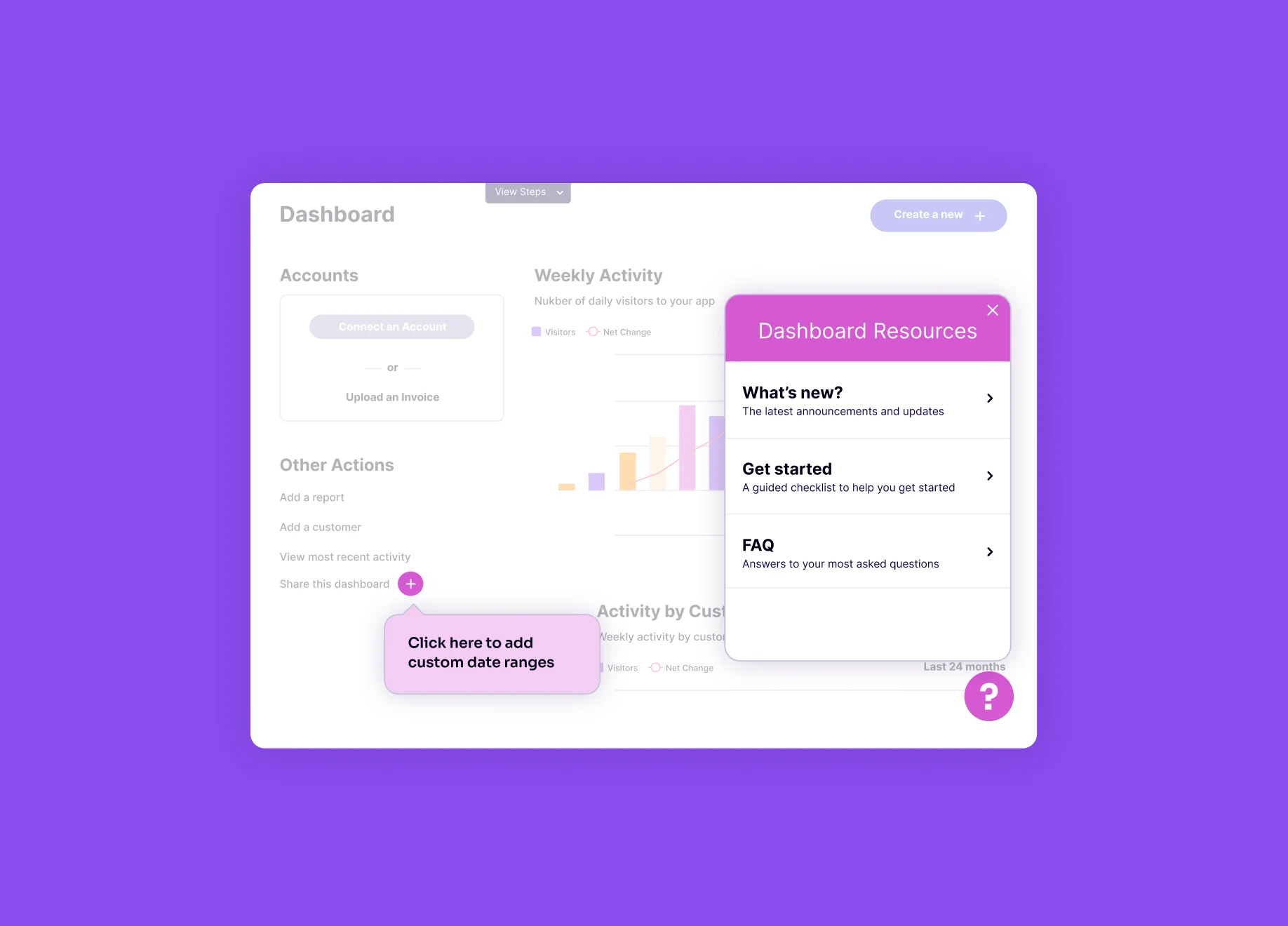
- Interactive walkthroughs: These user-friendly guides walk users through specific workflows and functionalities within the software itself, providing real-time instruction and eliminating the need to switch between applications and reference manuals.
- Microlearning modules: Bite-sized learning modules, delivered within the application right when and where needed, allow users to acquire new skills and knowledge at their own pace. This just-in-time learning — including embedded video and other media — is more engaging and effective than traditional, lengthy training sessions.
- Contextual help bubbles: Another on-demand resource, these help bubbles offer immediate clarification and support within the software interface, right where users need it most.
学習をユーザー体験に統合することで、DAPはユーザーをソフトウェアに引き付け、その可能性を最大限に探求できるようにします。
サポートチケットの削減
新規ユーザーや、特定のソフトウェア機能に不慣れなユーザー(従業員、顧客のいずれも)は、多くの場合、IT部門やカスタマーサポートに支援を求めます。 こうしたユーザーを支援するために必要なソフトウェアサポートチケット、通話、またはライブチャットの処理には、企業にとって数百万ドルの費用がかかる可能性があります。DAPはセルフサービスリソースを提供することで、このような負担を大幅に軽減できます。
アプリ内ガイド、FAQ、ナレッジベースの記事、さらには状況に即した動画によって、ユーザーは一般的な質問に対する答えを自分で見つけることができるようになるため、多くのサポート案件を削減できます。前述のように、オンデマンドの状況に即したヘルプバブルを使用すると、ワークフロー内で不明点が即座に明確になり、IT部門やカスタマーサポートの支援を待つ必要がなくなります。 DAPはまた、個々のユーザーのニーズや役割に合わせて学習体験を調整することができるため、各ユーザーは適切なガイダンスを受け、無関係な情報が過剰に提供されるような事態を避けることができます。
DAPは、ユーザーが自分で問題を解決するために必要なリソースを提供することでITやカスタマーサポートのリソースを解放するだけではなく、より自律的で生産性の高い労働力と顧客ベースも創出します。
What are the core features of a digital adoption platform?
A comprehensive digital adoption platform includes several integrated capabilities that work together to drive software proficiency for both customers and employees:In-app guidance: Walkthroughs, tooltips, and checklists that guide users through tasks without leaving the application. The best DAPs allow non-technical teams to create and deploy guides without engineering support.
Product analytics: Usage data that reveals how users navigate software, which features drive value, and where they encounter friction. Analytics should cover both web and mobile applications.
Session replay: Visual playback of user sessions that helps teams understand the "why" behind behavioral data, identifying UX issues and training gaps.
User feedback and NPS: In-app surveys and feedback collection that capture user sentiment at key moments, connecting qualitative insights to quantitative usage data.
Knowledge center: A searchable, always-available resource hub embedded within the application where users can find guides, FAQs, and documentation on demand.
Segmentation and targeting: The ability to deliver different experiences to different user groups based on role, behavior, lifecycle stage, or custom attributes.
A true digital adoption platform unifies these capabilities in a single solution rather than requiring organizations to stitch together point tools. This unified approach ensures consistent data, reduces tool sprawl, and enables teams to act on insights without switching between dashboards.
デジタルアダプションプラットフォームと、デジタルアダプションを促進する他の方法との違い
ユーザーマニュアル、動画のチュートリアル、対面トレーニングなどの従来のソフトウェアアプリのオンボーディング方法も重要ですが、デジタルアダプションプラットフォームなら、ソフトウェアの定着化に向けてより包括的かつ効果的にアプローチします。 ここでは、考慮すべき主な違いをいくつかご紹介します。
従来の方法
- User manuals (whether printed or PDFs) tend to be lengthy and text-heavy, and they can be overwhelming for new users, requiring a significant time investment to understand. They lack personalization and may not address specific user needs or workflows.
- Video tutorials can’t be tailored to an individual’s role or learning style. They often require users to switch between the software and the video, disrupting the learning flow. Some training videos are all-in-one, covering everything about the software, but even if broken into shorter videos, they require users to hunt for the exact information they need.
- In-person training allows for real-time interaction and Q&A, but coordinating it is expensive and time-consuming, especially for geographically dispersed users. In addition, the information users learn in the classroom might not be readily available or easily accessible, even if the class is recorded.
デジタルアダプションプラットフォーム(DAP)
- Personalization: Unlike static manuals and tutorial videos, DAPs can tailor the learning experience to individual user needs and roles. Users receive only the information relevant to their specific tasks, avoiding information overload and tedious searching through lengthy text or videos.
- Real-time guidance: DAPs deliver contextual help and walkthroughs right within the software, eliminating the need to switch between applications or reference separate materials. Users receive immediate support right when and where they need it, minimizing disruption and frustration.
- Data-driven insights: DAPs track user behavior and engagement, providing valuable insights into user adoption patterns and potential roadblocks. This data allows companies to refine their digital adoption strategy and ensure users get the most out of the software.
これらの機能を組み合わせることで、DAPは従来の方法よりも魅力的で効率的、かつデータ主導型のソフトウェア定着化アプローチをとることができます。 ユーザーが使用する必要のあるソフトウェア環境内で自分のペースで学習することを奨励および支援し、学習体験を継続的に改善するための貴重なデータを提供します。
デジタルアダプションプラットフォームはどのように選べばいいのでしょうか?
組織のユーザー(顧客と従業員)への効果を最大化するには、適切なデジタルアダプションプラットフォームを選択することが重要です。 ここでは、DAPを選択する際に考慮すべき主な機能をいくつかご紹介します。
- User segmentation: When considering which DAP to use, you should be mindful that different users will have different needs and levels of software experience. Choosing a platform that allows for nimble segmentation and targeting across categories is critical to ensure each user gets the tailored guidance and help they need — but also not bombarded with information they don’t.
- Ease-of-use: The platform itself should be user-friendly and intuitive, allowing administrators to create and manage content such as in-app guides and contextual help without requiring extensive technical expertise. A smooth user experience for administrators and end-users is essential for successful adoption.
- Content creation: Look for a DAP that offers a variety of content creation tools, such as in-app guides, walkthroughs, tooltips, and microlearning modules. Creating engaging and interactive content is vital to keeping users engaged.
- Customization: A robust DAP allows for customization of the learning experience to align with your company branding and specific workflows. This alignment ensures a seamless integration with your existing user interface and reinforces brand recognition.
- Analytics and reporting: Data-driven insights are crucial for measuring the success of your digital adoption strategy. Choose a DAP that provides comprehensive analytics on user behavior, engagement metrics, and content performance. This data allows you to identify areas for improvement and optimize your learning materials for maximum impact.
- Integrations: Consider a DAP that integrates with your existing software stack, including Learning Management System (LMS), CRM, marketing and workflow automation software, IT and customer support platforms, and chosen cloud services. Seamless integrations ensure a streamlined user experience and avoid data silos.
- Scalability: As your company grows and your software needs evolve, your DAP should be able to scale accordingly. Choose a platform that can accommodate future growth and support adding new features and functionalities.
- Feedback: An effective DAP will help teams actively incorporate user feedback into their planning process, making sure it doesn’t get lost in a feedback black hole.
これらのポイントを慎重に検討することで、従業員の能力を高め、ソフトウェアの定着化を促進し、プラスのROIを実現するデジタルアダプションプラットフォームを選択できます。
デジタルアダプションプラットフォームの投資収益率(ROI)を測定するにはどうすればいいですか?
組織への影響と価値の測定は、最初にデジタルアダプションプラットフォームを導入することと同じくらい重要です。 チームのためにソフトウェアを購入することは大きな投資ですが、適切なデジタルアダプションプラットフォームを選ぶことで、その投資は無駄になりません。しかし、どの指標を追跡すべきかわからなければ、DAPを含むあらゆるソフトウェアの価値(ROI)の定量化は難しいでしょう。
適切なデジタルアダプションプラットフォームにより、企業はデジタルアダプション戦略の影響をさまざまな方法で定量化できます。 チームは、ユーザーのトレーニングとオンボーディングをカスタマイズし、これらの取り組みがどれほど効果的であるかを測定できる必要があります。たとえば、DAPを活用したトレーニングを新たに受けた後、サポートチケットのリクエストの量がどのように減少するかを調べることができます。 あるいは、新しいアプリ内ガイドを導入した後、特定のタスクに費やす時間が減少し、それが重要なKPIに影響を与えたかどうかを追跡することもできます。 ただし、デジタルアダプションプラットフォームのROIは、特定のガイドの成功によってではなく、ソフトウェアが提供する機能一式の定着化をDAPがどれだけ効果的に推進するかによって測られるべきものです。
ここでは、いくつかの主な指標と、包括的なアナリティクスを使用してDAPのROIを効果的に測定する方法をご紹介します。
オンボーディングの時間とコストの削減
Efficient in-app onboarding is a core benefit of DAPs. To measure this impact, you can track time savings by monitoring the time required for new users to become proficient with the software using the DAP compared to traditional onboarding methods. This time saved translates to a reduction in onboarding costs and allows new users to leverage your software more quickly.
ユーザーの生産性向上
オンボーディングだけではありません。DAPはユーザー全体の生産性も大幅に向上させます。 これは、さまざまな方法で定量化できます。
- Measure task completion rates by examining how DAP-driven, in-app guides and walkthroughs impact the completion times of specific tasks. Faster task completion translates directly to increased productivity.
- Analyze the reduction of support tickets by tracking the number of IT or customer support tickets related to the software before and after implementing a DAP. A decrease in tickets indicates that users can find answers and resolve issues independently, freeing up IT or customer support resources for more complex tasks.
ユーザーエンゲージメントとソフトウェアの定着率の改善:
DAPは、ソフトウェアに対するユーザーエンゲージメントを大幅に向上させ、全体的な定着率を高めることができます。
- Monitor user activity by allowing the DAP to track user activity within the platform, including their guide completions and content usage. Analyze this data to identify areas of high engagement as well as areas where users might be struggling. This allows you to refine your content strategy and ensure users get the most out of the DAP.
- Measure increased feature utilization by tracking how frequently users access and use new features after launching them with DAP content support. This demonstrates the platform’s effectiveness in driving user adoption of the software’s full potential.
Remember, the full value of a DAP is measured by more than any one individual guide. By combining data on reduced onboarding costs, increased productivity, and improved user adoption, you can calculate the overall ROI of your DAP investment. (Note that 70% of Pendo customers report a positive ROI within 6-8 months.)
最適なデジタルアダプションプラットフォームとは?
The last thing a company should do is pick a digital adoption platform that creates more problems than it solves or becomes another hurdle and general burden to users. Keeping in mind all the other essential capabilities of a DAP described on this page, here are three final considerations when determining which DAP is suitable for your organization.
Beware of complex onboarding: The best digital adoption platforms offer users simple, streamlined experiences and interfaces that are intuitive and user-friendly regardless of one’s technical background or level of expertise.
Avoid chaotic interfaces: Ensure the DAP enables streamlined support, allowing administrators to manage all of their needs from one place rather than constantly having to navigate among various tools and dashboards.
Insist on dedicated support: Just as important, the best digital adoption platforms are more than just their software. They come with a support team committed to partnering with you to set you up to succeed.
これらの要素に優先順位を付けることで、ソフトウェアの定着化を真に合理化し、煩雑なソリューションに潜む落とし穴を回避して従業員を強化できるDAPおよびDAPベンダーを特定できます。
デジタルアダプションプラットフォームに関する詳細はどこで確認できますか?
For those looking to become more familiar with digital adoption platforms, Pendo has published information on how to accelerate software adoption and increase employee productivity.
